Android|10 minutes Read
The Best Android Apps to Actually Install in 2026
Ethnickoti

Most Android phones start the same way.
You buy a shiny new device, transfer your data, reinstall the usual suspects, then slowly realize half your apps are just... sitting there. Taking storage. Sending notifications nobody asked for. Existing out of habit more than usefulness.
A genuinely good Android app feels different. You notice it after a week because your phone becomes easier to live with. Faster. Less cluttered mentally.
That’s the bar here.
Not “apps with impressive feature lists.” Not apps loaded with AI buzzwords and monthly subscriptions hiding behind glossy screenshots. Just the Android apps that actually improve day-to-day life in 2026.
Some are huge mainstream names. Others quietly built cult followings because people who use them rarely uninstall them afterward.
Productivity apps usually fall into two extremes: painfully basic or absurdly overcomplicated.
The best ones sit somewhere in the middle. Flexible without becoming exhausting.
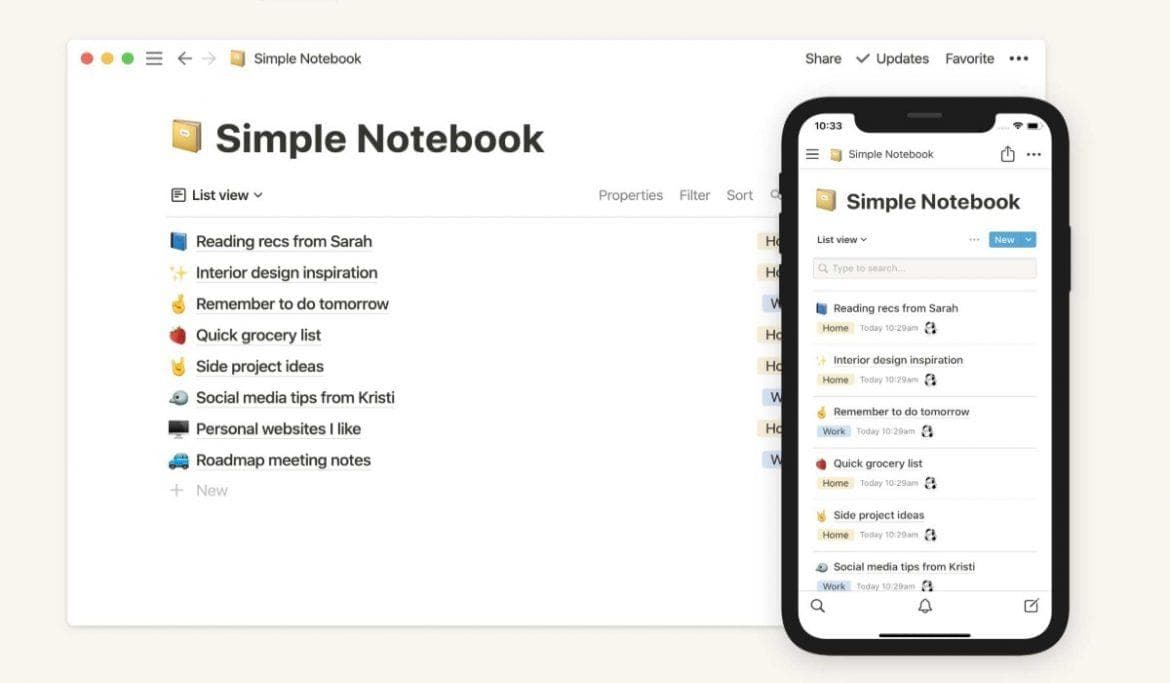
At this point, Notion has become less of an app and more of a digital second brain for a lot of people.
Students use it for study systems. Freelancers run businesses through it. Some people track workouts, reading lists, grocery budgets, and random life plans all in one workspace.
The interesting thing about Notion is that it can either simplify your life or accidentally become your newest procrastination hobby. Entire communities now exist around building aesthetic dashboards nobody realistically needs.
Still, when used practically, it’s one of Android’s strongest productivity tools by a mile.
TickTick deserves more attention than it gets.
People often default to Google Tasks or Microsoft To Do because they’re familiar. TickTick quietly does more without making the interface feel crowded.
You get:
Task management
Habit tracking
Pomodoro timers
Calendar syncing
Location reminders
And somehow it still feels lightweight.
That balance is harder to pull off than people realize.
Google Keep is proof that simple apps survive longest.
No fancy workspace systems. No productivity philosophy. You open it, dump thoughts into colorful sticky notes, and move on with your life.
Oddly refreshing.
It’s especially good for grocery lists, quick reminders, and voice notes when your brain decides to remember something important at 1:12 AM.
A couple years ago, AI apps mostly felt like demos searching for a purpose.
That changed fast.
Now they’re genuinely woven into how people study, work, research, and organize information.
The Android app became dramatically better once voice interaction and multimodal tools matured.
People use ChatGPT for wildly different reasons now:
Studying difficult topics
Brainstorming ideas
Writing assistance
Coding help
Travel planning
Summarizing messy information
It’s one of those apps where the value depends heavily on how creatively you use it.
Some people barely scratch the surface. Others practically treat it like a pocket research assistant.
Perplexity quietly became one of the best alternatives to traditional search engines.
The reason people like it is simple: citations.
You ask something complicated and get a summarized answer linked to actual sources instead of fifteen SEO-stuffed blog posts screaming for ad revenue.
That alone feels weirdly calming.
Customization remains Android’s secret weapon.
Even in 2026, iPhones still feel comparatively locked down once you’ve spent years tweaking Android setups.
Nova Launcher survived multiple Android generations for one reason: it respects power users without alienating casual ones.
You can keep things minimal or spend three hours building a hyper-customized sci-fi home screen setup that nobody else will ever understand except Reddit launcher enthusiasts.
Its best features still include:
Gesture shortcuts
Custom icon packs
Grid customization
Minimal layouts
Smooth animations
Some apps age poorly. Nova somehow keeps adapting.
Zedge has been around forever, which almost feels suspicious in app years.
But it still remains one of the easiest ways to grab wallpapers, ringtones, and notification sounds without digging through sketchy websites loaded with pop-ups.
Not glamorous. Still useful.
No matter how productive people claim they want to become, entertainment apps usually end up consuming most phone usage anyway.
Human nature.
Spotify still dominates because its recommendation engine remains frighteningly good.
The app somehow learns your late-night moods faster than some friends do.
Features like AI DJ, collaborative playlists, podcasts, and offline playback keep evolving quietly without making the app feel completely unfamiliar every six months.
That consistency matters.
YouTube Music improved massively once Google stopped treating it like an awkward replacement project.
Its biggest advantage remains access to unofficial uploads, remixes, live performances, niche edits, and obscure tracks unavailable elsewhere.
If your music taste gets weird enough, YouTube Music usually handles it better than Spotify.
Mobile editing crossed a strange threshold recently where phones now handle tasks that once required full desktop software.
That still feels slightly absurd.
Snapseed remains one of Android’s best free photo editors.
Google built something unusually clean here. No cluttered influencer aesthetic. No overwhelming beginner chaos.
You get surprisingly advanced tools like:
RAW editing
Selective adjustments
Healing tools
Cinematic filters
And somehow the app still feels approachable for casual users.
CapCut practically became the default short-form video editor for the internet.
TikTok creators use it heavily. Instagram creators use it heavily. Even YouTubers quietly rely on it for quick edits now.
Templates helped make it popular initially, but the app evolved beyond that. It now handles transitions, subtitles, effects, motion tracking, and fast social editing remarkably well for a free mobile app.
Honestly, some desktop editing software should feel nervous.
Password managers sound boring right up until one account gets compromised.
Bitwarden remains one of the best because it balances security with accessibility. The free version alone covers most people comfortably.
Autofill works smoothly. Cross-device syncing is reliable. And unlike some competitors, it doesn’t constantly feel like it’s upselling you every five minutes.
Most VPN ads online are wildly dramatic.
Proton VPN feels calmer. More practical.
Its free tier remains surprisingly usable, which is rare now. And the privacy-first reputation helps it stand out in a market flooded with questionable VPN marketing.
Some apps don’t dominate headlines but quietly build obsessive user bases.
Niagara Launcher for minimalist home screens
Obsidian for deep note-taking and knowledge systems
Readwise Reader for article and ebook management
Moon+ Reader for serious ebook readers
Tasker for automation nerds who enjoy making phones behave like programmable robots
Tasker especially has one of the steepest learning curves in Android history. But the people who master it become almost evangelical about it afterward.
If somebody handed me a fresh Android phone today and said I could only keep five extra apps, honestly, I’d probably start here:
ChatGPT
Notion
Nova Launcher
CapCut
Bitwarden
That combination covers productivity, creativity, customization, AI assistance, and security surprisingly well.
Though honestly, the best Android setup always ends up personal. The perfect app list for one person feels useless to somebody else.
That’s part of Android’s charm. Your phone slowly becomes a reflection of how your brain works.
Ethnic Koti Editorial Team. (2026). "The Best Android Apps to Actually Install in 2026". Ethnickoti Blog. Retrieved from https://ethnickoti.com/blog/best-android-apps-2026
Join the conversation. Be respectful and helpful.